Leads, tasks, quotes, SOPs, orders, deposits, staged payments, customer history and staff comms — the entire back office of a wheel & tyre business in one screen.
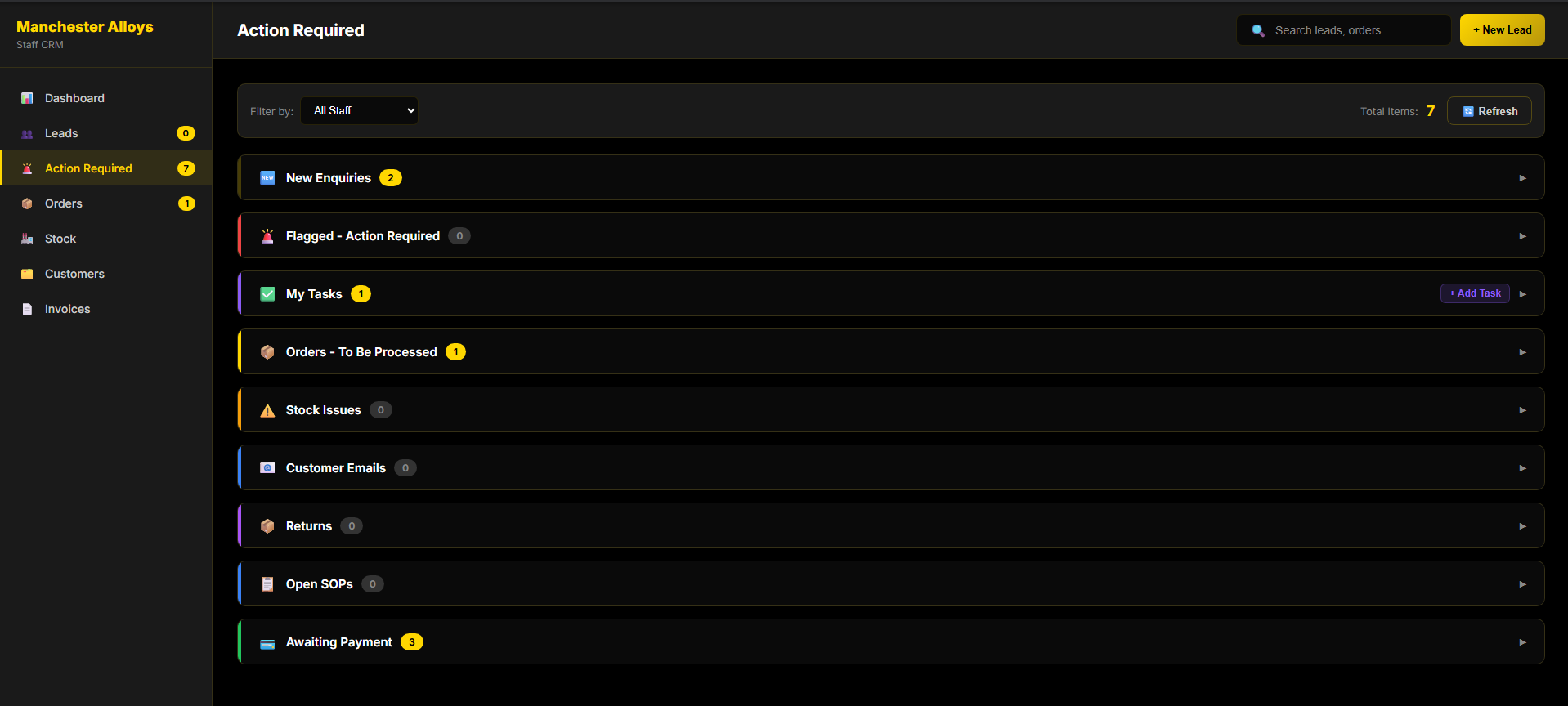
While the AI sells out front, someone has to run the shop. The CRM is where your team does it: leads and a Trello-style task board, quotes and SOPs, orders, deposits and staged payments, full customer history, and every email tied to the right customer — instead of spreadsheets, a card machine, an inbox and a notebook.
It’s wired into the platform: every enquiry Ally captures lands here as a lead you can assign to a staff member. It tracks who your best customers are — total spend, order history, even how many orders they’ve cancelled — so you can spot a good customer from a time-waster, and keep every penny of deposit and balance accounted for.
Because the emails come in too, every conversation with a customer is kept in one place against their record — so nothing’s lost in someone’s inbox and the whole team can see where things stand.
Leads from Ally, the site, the phone and email land in one pipeline — assign each to the right staff member.
Build quotes from your catalogue, follow standard operating procedures, and queue the work as tasks with due times and urgency.
Track deposits and incremental payments against each order, with live running balances.
Total spend, order history, cancellation count and every email — all on one customer record.
Every enquiry — including Ally’s — in one pipeline, assigned to the right staff member.
Tasks with due times and urgency, so jobs and follow-ups never slip.
Build quotes from the catalogue and run the standard procedures your team follows.
Track deposits and incremental part-payments per order, with live balances.
Total spend, order history and cancelled-order count — spot your best customers, and the time-wasters, at a glance.
Customer emails flow into the CRM against the right customer, so every conversation is tracked together.
Build orders from your live catalogue and generate invoices in a click.
Stock visibility and revenue dashboards — the health of the business on one screen.
A daily list of exactly what needs doing.
Run leads, tasks, quotes, payments and comms from one screen instead of six different tools.
Work an assigned pipeline fed by the AI, with the full customer history to hand.
Deposits, staged payments, balances and invoices all tracked properly.
We'll show you CRM running live against your real products — no slides. Turnkey store or this one tool, your call.
Book a demo → WheelTech